Some tool bars will get installed in browser along with desktop applications. I will show how to remove these toolbar from Google Chrome , Mozilla Firefox and Internet Explorer.
Internet Explorer
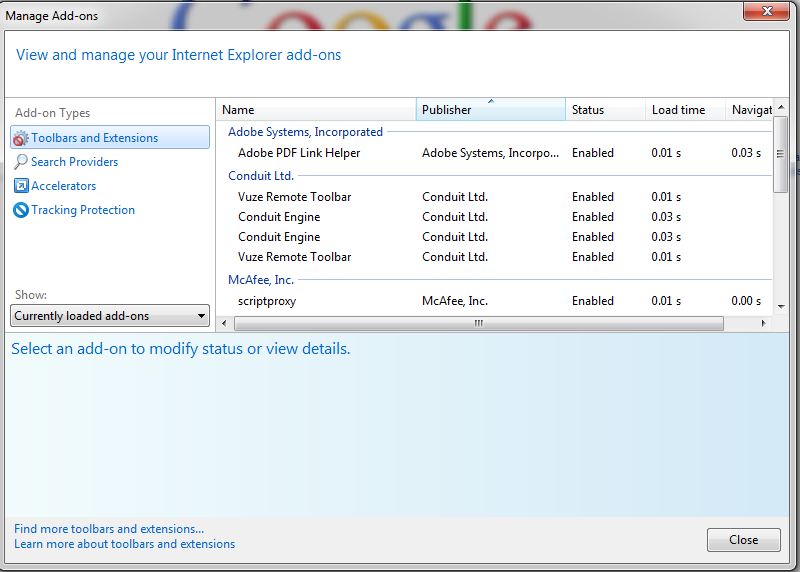
Go to TOOLs > MANAGE ADD-ONS

You can see all the toolbars added to browser here.Select the toolbar to be removed by clicking the item.Now click the DISABLE button present at the bottom.
Google Chrome
Go to SETTINGS as shown below.

Select EXTENSION. There you can see all the tool bars installed in CHROME browser. By clicking on the 'TRASH' icon toward the right side of the item , it can be removed.

Mozilla FireFox
Go to TOOLs > ADD-ONS

Select EXTENSION. There you can see all the tool bars installed in firefox browser. By clicking on the 'DISABLE button toward the right side of the item , it can be removed.

Internet Explorer
Go to TOOLs > MANAGE ADD-ONS
You can see all the toolbars added to browser here.Select the toolbar to be removed by clicking the item.Now click the DISABLE button present at the bottom.
Google Chrome
Go to SETTINGS as shown below.
Select EXTENSION. There you can see all the tool bars installed in CHROME browser. By clicking on the 'TRASH' icon toward the right side of the item , it can be removed.
Mozilla FireFox
Go to TOOLs > ADD-ONS
Select EXTENSION. There you can see all the tool bars installed in firefox browser. By clicking on the 'DISABLE button toward the right side of the item , it can be removed.
Comments
Post a Comment