Today I will show you , how to use Text to Columns feature in Microsoft Excel.Many times we may need to split a space separated line to columns and use.With this text to column option you can easily split the words to separate columns.
Eg: I want to split the follwing text to separate columns.
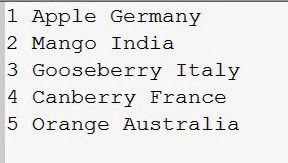
If it is copied to Excel sheet , each line will occupy a row and fit into single column(Here it is column A).
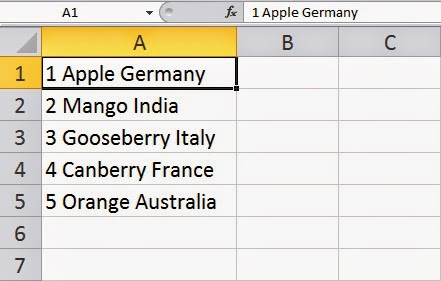
To Split do the following.
1. Select Data Tab from the menu bar. Select the range to split .Now click on Text to Columns as shown in figure

2. A popup windows will appear.Choose the delimited option and click next.

3. Now 'Check' the space option and click next.(Here the word is separated by single space.If it is required to be separated by any other character , it can be chosen).

4. If you do not want to change any data format click next.

Now click Finish.Your data is ready.Now here is the converted records.

Eg: I want to split the follwing text to separate columns.
If it is copied to Excel sheet , each line will occupy a row and fit into single column(Here it is column A).
To Split do the following.
1. Select Data Tab from the menu bar. Select the range to split .Now click on Text to Columns as shown in figure
2. A popup windows will appear.Choose the delimited option and click next.
3. Now 'Check' the space option and click next.(Here the word is separated by single space.If it is required to be separated by any other character , it can be chosen).
4. If you do not want to change any data format click next.
Now click Finish.Your data is ready.Now here is the converted records.
Comments
Post a Comment